The practical answer
A hotel room page should help guests understand whether a room fits their stay and what they will receive. Explain occupancy, practical amenities and important conditions using accurate text and representative images. Connect the room information to a working booking route without inventing availability, discounts or experiences the property cannot confirm.
For implementation support, explore our content strategy services.
Start with the guest’s practical comparison
Ask reservations staff which questions guests raise before choosing a room. Occupancy, sleeping arrangements, accessibility needs and important amenities may affect the decision more than promotional adjectives. Use clear labels and distinguish confirmed facilities from requests that depend on availability. For an illustrative family stay, the question may be whether an additional bed is available and how it is arranged. Do not assume that every room of a named category has identical features unless the property confirms it. The page should help a guest compare real options rather than decipher vague descriptions.
Use representative photographs and useful captions
Choose current images that accurately represent the room category and explain meaningful differences where needed. Avoid using photographs of a larger or different room without clarification. Show practical details that help people understand the space, while keeping image files appropriately sized for the page. Provide useful alternative text for informative images and empty alternatives for decoration. A common mistake is selecting only atmospheric close-ups that leave guests unable to judge the sleeping area or layout. Attractive imagery should support an honest description, not create expectations that the actual room cannot reliably meet.
Keep amenity and policy information consistent
Maintain one approved source for amenities, occupancy rules and important booking conditions. Check that the room page, booking engine and reservation replies describe the same arrangement. Explain where terms vary by rate plan rather than presenting every benefit as universally included. For an illustrative breakfast offer, inclusion may depend on the selected booking option. Do not hide material conditions in a distant policy page. Give guests a clear way to review the relevant terms and contact the property where a requirement needs individual confirmation, especially for accessibility or special arrangements.
Make the booking route continuous and usable
Use a visible booking action that leads to the correct property and an appropriate room or availability search where the system supports it. Test the route on a phone and check that dates, occupancy and currency are handled understandably. Avoid hard-coding an old promotional date range into every link. Explain when the visitor is moving into an external booking engine and keep the visual transition recognisable. A room page is not complete merely because the button is present. Reservations staff should periodically test the journey, including errors, unavailable dates and the information shown before payment.
Improve the page through reservation feedback
Record repeated guest questions and misunderstandings without exposing private booking details. Review whether the page answers those questions accurately and whether additional photographs or clearer wording would help. Compare available booking-journey evidence with operational context such as availability or changes in room inventory. Do not interpret every abandoned search as a page-design failure. The guest may be comparing dates, prices or several properties. Use the evidence to improve clarity and reliability, then verify that the page remains aligned with the property and booking system as facilities and policies change.
Describe the stay the room can realistically support
A room page should help a guest picture practical suitability rather than rely only on a category name. Explain occupancy, sleeping arrangements, relevant amenities and any meaningful differences from other room types using verified property information. If a feature varies within the category, make that variation clear. The visitor should understand what can be expected and what may require confirmation.
An illustrative family comparing two rooms may need to know whether an additional bed is possible or whether the stated occupancy includes children. A business traveller may care more about workspace and arrival arrangements. Organise the information so these questions can be answered without interpreting decorative labels. Useful room content combines descriptive writing with the facts that influence the booking decision.
Use imagery with an honest relationship to the room
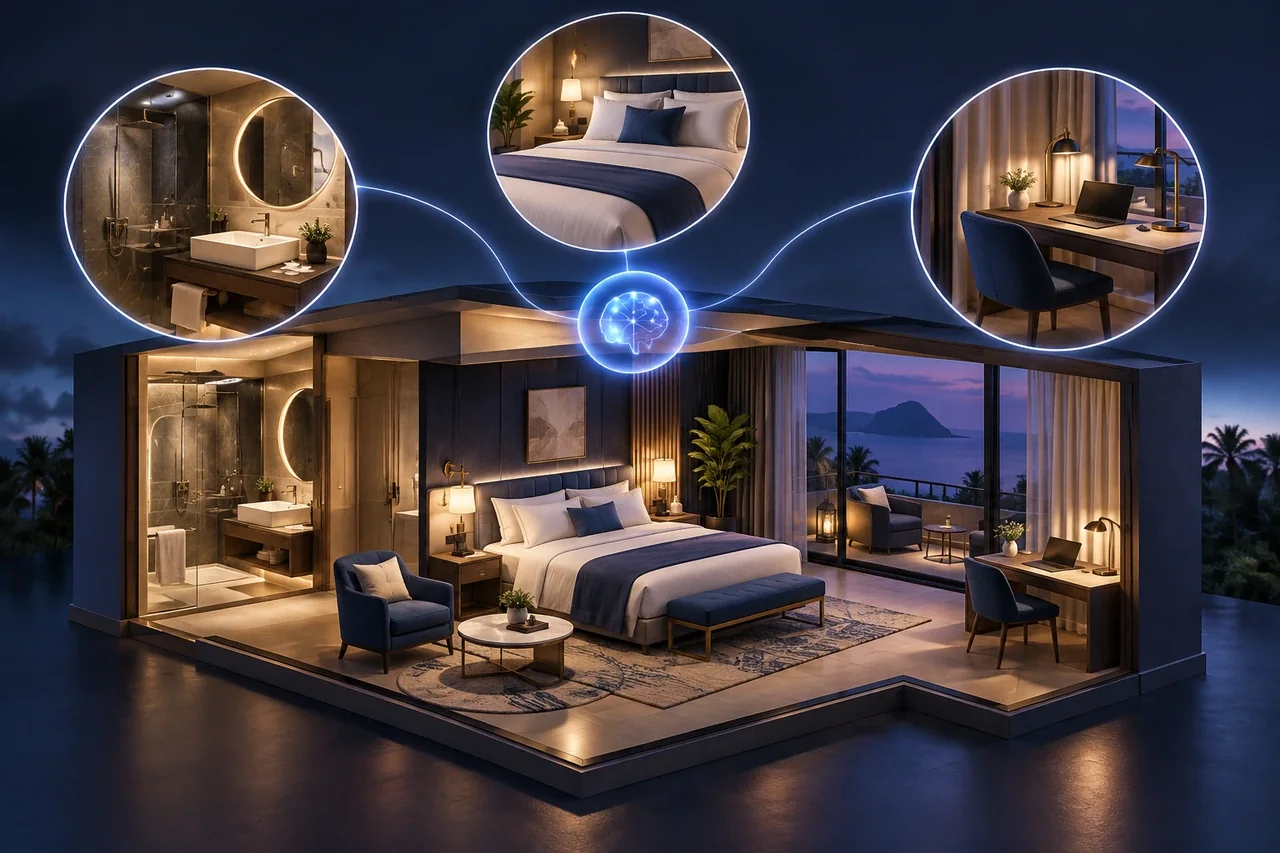
Room photographs should represent the accommodation accurately and be supported by useful captions where differences matter. If an image is illustrative or AI-generated, it should not be presented as a verified photograph of the property. The guest needs a clear distinction between a visual concept and evidence of the actual room. Attractive imagery cannot replace accurate information about what is being sold.
For a marketing guide or conceptual hotel article, illustrative visuals can explain an idea when they are labelled appropriately. On a live booking page, verify that images, category names and descriptions correspond to the actual inventory. Review them when the room changes. This protects the guest's expectations and reduces the chance that a persuasive page creates a misunderstanding that the reservation team must resolve later.
Make comparison information consistent across categories
Use the same core information fields for each room type so visitors can compare like with like. If one page lists bed arrangements and another omits them, a guest may interpret the absence incorrectly. Consistent structure also makes maintenance easier because the property can check each category against a shared set of verified facts rather than relying on differently written promotional descriptions.
Highlight the differences that genuinely affect suitability. A larger room is not automatically the right choice for every guest, and a more elaborate label does not explain the benefit. Describe the relevant space, facilities or arrangement in plain language. Link to other room types where the comparison is useful, using wording that helps the guest understand why they might consider the alternative.
Keep policies close to the decision point
Guests need access to the conditions that can affect their stay, including the applicable booking and property policies. Keep current details maintained by an authorised owner and make them easy to find from the room page. Avoid scattering important conditions across unrelated pages in a way that requires the guest to assemble the booking context independently.
Where terms depend on a selected rate or booking option, explain that relationship clearly and direct the guest to the current details before commitment. Do not copy a condition into a promotional paragraph unless there is a process to keep it accurate. The page should support a confident comparison while preserving the distinction between general room information and the specific terms of the reservation.
Review the route from room choice to booking
Open the booking route from each room category on mobile and check that the room context remains clear. The guest should understand whether they are checking availability, requesting assistance or making a reservation. If an external booking service is involved, review the continuity of names and descriptions so the person does not have to start the comparison again.
Use reservation-team feedback to improve the content. Repeated questions about occupancy, amenities or differences between categories can identify missing information. Review these patterns alongside the page and the booking route before changing promotional copy. A useful room page reduces uncertainty through accurate details and a coherent journey; it should not depend on exaggerated descriptions or unsupported promises to encourage the next step.
Your action checklist
- Confirm occupancy and meaningful room differences.
- Use current photographs representative of the category.
- Match amenities and terms with the booking engine.
- Test dates, occupancy and mobile booking links.
- Update the page using recurring reservation questions.
Common questions
Should every room page show a fixed price?
Only when the property can maintain the price and explain its conditions accurately. Where rates vary, guide guests to live availability and clearly describe what may affect the selected rate. Avoid leaving an outdated promotional amount on an evergreen page.
Can stock photographs be used for rooms?
Room photographs should represent the actual accommodation. Stock imagery may illustrate a general destination topic when labelled appropriately, but it should not imply that a guest will receive a room or facility that the property does not provide.
Continue exploring hospitality marketing
Help guests compare stays, understand the property and move towards a confident direct enquiry.
- Digital marketing for hotels: connect discovery with direct booking
- Plan Hotel Destination Guides Around Real Guest Questions
- Improve Hotel Enquiry Journeys for Events and Group Stays
- Connect Hotel Social Content With Direct Booking Information
- Build Hotel Pre-Arrival FAQs That Help Guests Prepare
- Create Useful Hotel Restaurant and Dining Pages
Put the next step into practice
Discuss your website, target audience and business priorities with SEO Optimizer in Chennai.
Explore content writing and strategy →Discuss your project
Prepared by SEOptimizer editorial. Examples are illustrative; outcomes depend on the business, market and implementation. AI-generated editorial imagery illustrates the subject and does not depict actual customers, employees or client results.